
Sommaire
1. Veillez à ce que votre enfant soit bien installé
2. Choisissez les bons réglages si votre enfant travaille sur ordinateur
3. Bougez !
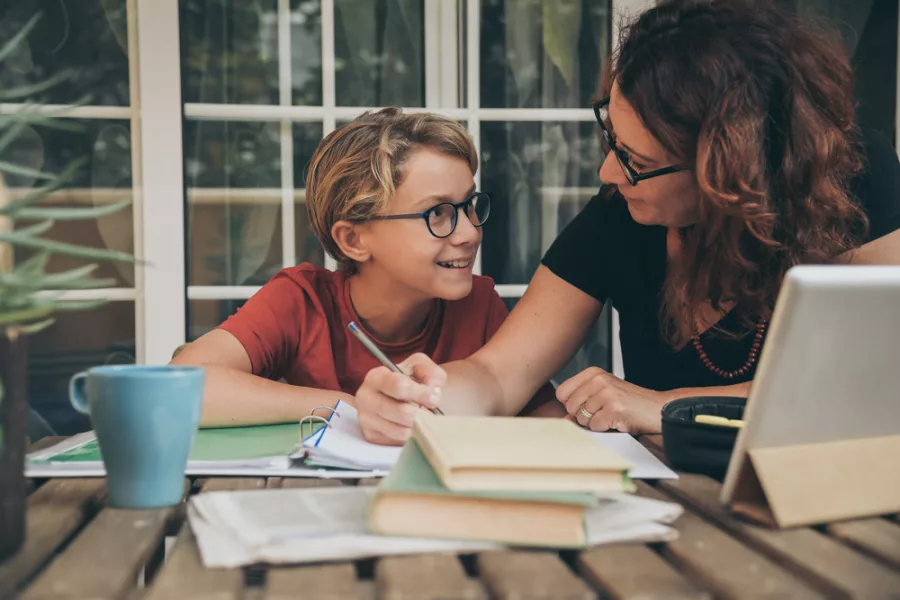
Durant sa scolarité, un élève reste près de 1000 heures par an en position assise (1). Assis sur un mobilier standard peu adapté à sa morphologie et ne sachant pas comment se tenir, un enfant peut rapidement prendre de mauvaises habitudes posturales, qui peuvent-être à l’origine de pathologies qui surviendront à l’âge adulte. Déjà à l’âge de 11 ans, 1 enfant sur 3 se plaint de mal de dos et à 14 ans, ils sont 2 sur 3. Les lombalgies posturales sont fréquentes chez l’enfant et sont présentes chez 10 % des 7-9 ans. (1)
Le sujet est complexe car à l’école, le matériel est souvent peu adapté et il l’est encore moins à la maison. Dans de nombreux cas, pour être à proximité de ses parents, l’enfant fait ses devoirs dans la cuisine, mais il est alors installé à une table trop haute et sur une chaise trop grande pour lui, les jambes ne touchant pas le sol. La cuisine, le canapé ou même le sol de la salle à manger peuvent vite se transformer en salles de classe, ce qui est bien pour la créativité, mais beaucoup moins pour la santé de l’enfant. Malheureusement, les bonnes pratiques pour bien s’installer et éviter les douleurs sont rarement enseignées aux enfants et souvent méconnues des parents.
Faire les devoirs ou l’école à la maison est une bonne occasion d’adopter de nouvelles habitudes en matière d’ergonomie, qui prennent en compte la croissance et les besoins physiques de l’enfant, différents de ceux des adultes. La croissance est en effet une période décisive qui peut déterminer la santé de la colonne vertébrale à l’âge adulte. Il ne faut donc pas sous-estimer les douleurs précoces.
Il suffit cependant de quelques conseils pour aménager l’espace de travail à la maison de votre enfant, afin d’améliorer son confort et sa concentration !
Les recommandations sont tout simplement les mêmes que l’on pourrait donner à des adultes en télétravail : adapter le mobilier (bureau, chaise, écran d’ordinateur, etc.) pour adopter une posture relâchée, détendue et la plus neutre possible.
1. Veillez à ce que votre enfant soit bien installé
Comme un adulte, un enfant a besoin d’un cadre pour pouvoir se concentrer. Il est essentiel de bien différencier les moments de jeux, des moments de travail, et particulier pendant une période du confinement.
Délimitez pour lui un endroit fixe pour faire l’école à la maison, et différent des autres espaces dédiés aux jeux, aux repas, etc. Installez-le à un bureau ou à une table et suivez ces conseils ergonomiques pour que sa posture soit la plus confortable possible :

- Privilégiez une chaise avec dossier, plutôt qu’un tabouret.
- Veillez à ce que les avant-bras de votre enfant soient posés sur la surface de travail et soient détendus, les épaules relâchées. Si nécessaire, placez un coussin sur la chaise pour qu’il soit assis à la bonne hauteur.
- Si ses pieds ne touchent pas le sol, placez un carton ou un livre épais, afin que les pieds reposent bien à plat et que l’angle des genoux soit d’environ 90°.
2. Choisissez les bons réglages si votre enfant travaille sur ordinateur

L’utilisation d’un ordinateur est de plus en plus demandée pour différents travaux à l’école ou pour les devoirs à la maison. En effet, afin de garder le lien avec leurs élèves et guider les parents pendant le confinement, les enseignants proposent toutes les semaines du contenu éducatif via des plateformes spécialisées ou envoient des exercices par mail.
En tant qu’adulte, vous ressentez certainement les effets d’une mauvaise posture prolongée devant l’ordinateur : mal au dos, aux épaules, fatigue visuelle… Pour votre enfant, c’est pareil !
Il est donc essentiel pour lui de bien s’installer devant le PC et de faire quelques réglages pour éviter les douleurs :
- Veillez à placer l’écran de l’ordinateur bien en face de votre enfant. Il doit pouvoir toucher l’écran en tendant le bras devant lui (environ 50 cm).
- Placez le sommet de l’écran à la hauteur de son front, afin qu’il n’ait pas à tendre le cou pour le regarder.
- Pensez aux réglages de la luminosité et à la taille des caractères pour assurer le confort des yeux.
- Afin d’éviter les reflets sur l’écran, ne le placez pas à contre-jour ou face à une fenêtre.
- Rapprochez le clavier et la souris pour qu’ils soient faciles à atteindre lorsque votre enfant a les avant-bras posés sur le bureau. Dans l’idéal, choisissez une souris spécialement prévue pour ses petites mains afin que ses doigts ne soient pas crispés lorsqu’il l’utilise.
- Conseillez à votre enfant de faire des pauses : S’il passe plus d’une heure devant l’ordinateur, dîtes-lui de changer de posture régulièrement et de se lever pour s’étier toutes les 30 minutes environ. Proposez également une pause sans écran afin de reposer ses yeux et son esprit.
3. Bougez !

Comme vous, et peut-être encore plus, votre enfant ressent le besoin de bouger ! Programmez des pauses régulières, toutes les demi-heures environ, et actives : conseillez à votre enfant de changer de position, de se lever et de marcher pour se dégourdir les jambes et oxygéner son cerveau. Vous pouvez faire ensemble des petits exercices pour vous étirer et vous relaxer, sans oublier les yeux (regarder au loin, cligner des yeux, frotter les paupières…) pour éviter la fatigue visuelle qui peut apparaître lors du travail sur écran.
Profitez des changements d’activités ou d’exercices pour varier les postures : certains travaux peuvent se faire debout. Si votre enfant a un poème à réciter par exemple, levez-vous tous les deux !
Lorsque vous aidez votre enfant et l’accompagnez dans un apprentissage, faîtes également attention à votre propre posture. Évitez de vous pencher vers lui ou de vous courber pour être à sa hauteur : prévoyez plutôt une chaise pour vous installer confortablement.
Faire l’école à la maison peut permettre de prendre de bonnes habitudes en matière d’ergonomie dès le plus jeune âge et ainsi se prémunir des douleurs et des risques de pathologies. Votre enfant et vous-même ressentirez certainement les bénéfices d’une meilleure posture de travail : une motivation et une concentration accrues, ainsi qu’un meilleur apprentissage.
Vous télétravaillez ?
Retrouvez notre guide : “Télétravail : 10 conseils pour bien s’organiser et être productif !”
(1) Source : BRUNET, C. À propos de l’utilisation de mobilier ergonomique en école primaire : intérêts et conditions de réussite d’un projet de prévention. Etude professionnelle – ENSP – MEN, 2005.
Crédit illustrations : ©AdobeStock – ©Clinique du développement de l’Enfant / Groupe Ergo Ressource